
Service update readiness
Preview release readiness report
Before each Dynamics 365 Finance & Operations service update, we build your full solution — your own customisations and every ISV — on Microsoft's preview release. One report then tells you what breaks, who has to fix it and how long it takes, while there is still time to act.
PDF · 8 pages · invented customer and illustrative figures
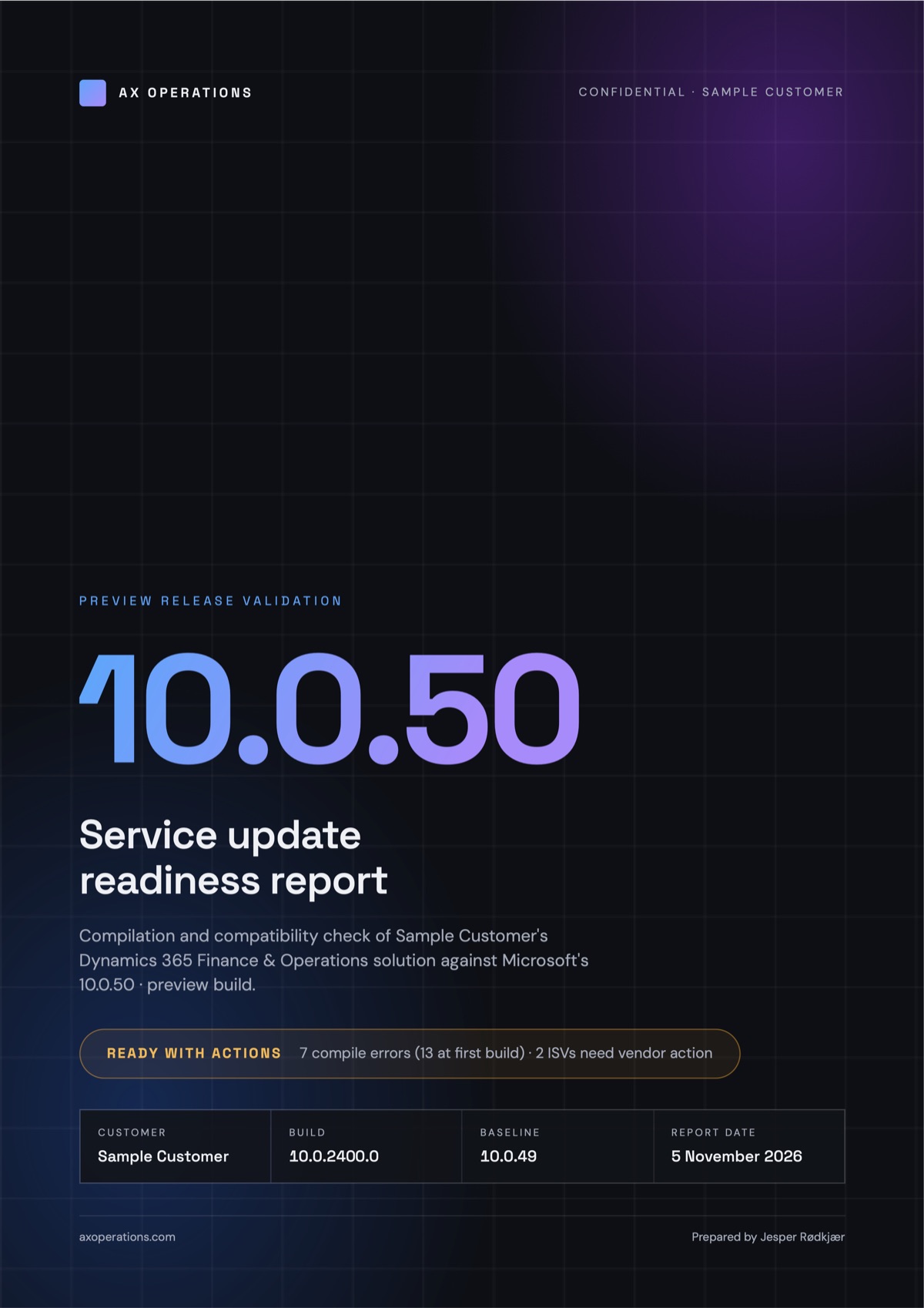
Example · illustrative figures
Built to be read by the whole team
One answer up front
Every report opens with a single traffic-light verdict: Ready, Ready with actions, or Blocked. The rest of the report backs it up.
Who fixes it
Every package and finding is tagged Customer, ISV or Microsoft in the same colours throughout, so the work sorts itself at a glance.
Same shape every release
Fixed sections and the same key figures every time, so you can compare 10.0.49 with 10.0.50 and see your codebase getting healthier.
Your code stays with you
The build results are read by a small tool on the machine where the code is compiled. Nothing is uploaded, and no AI service sees your code.
What's in the report
Six chapters, from the one page a CFO reads to the list your developers and ISVs work from.
Executive summary
The one page a CFO reads
Verdict, five key figures, the recommended actions and where you are on the road to production. No X++ on this page.
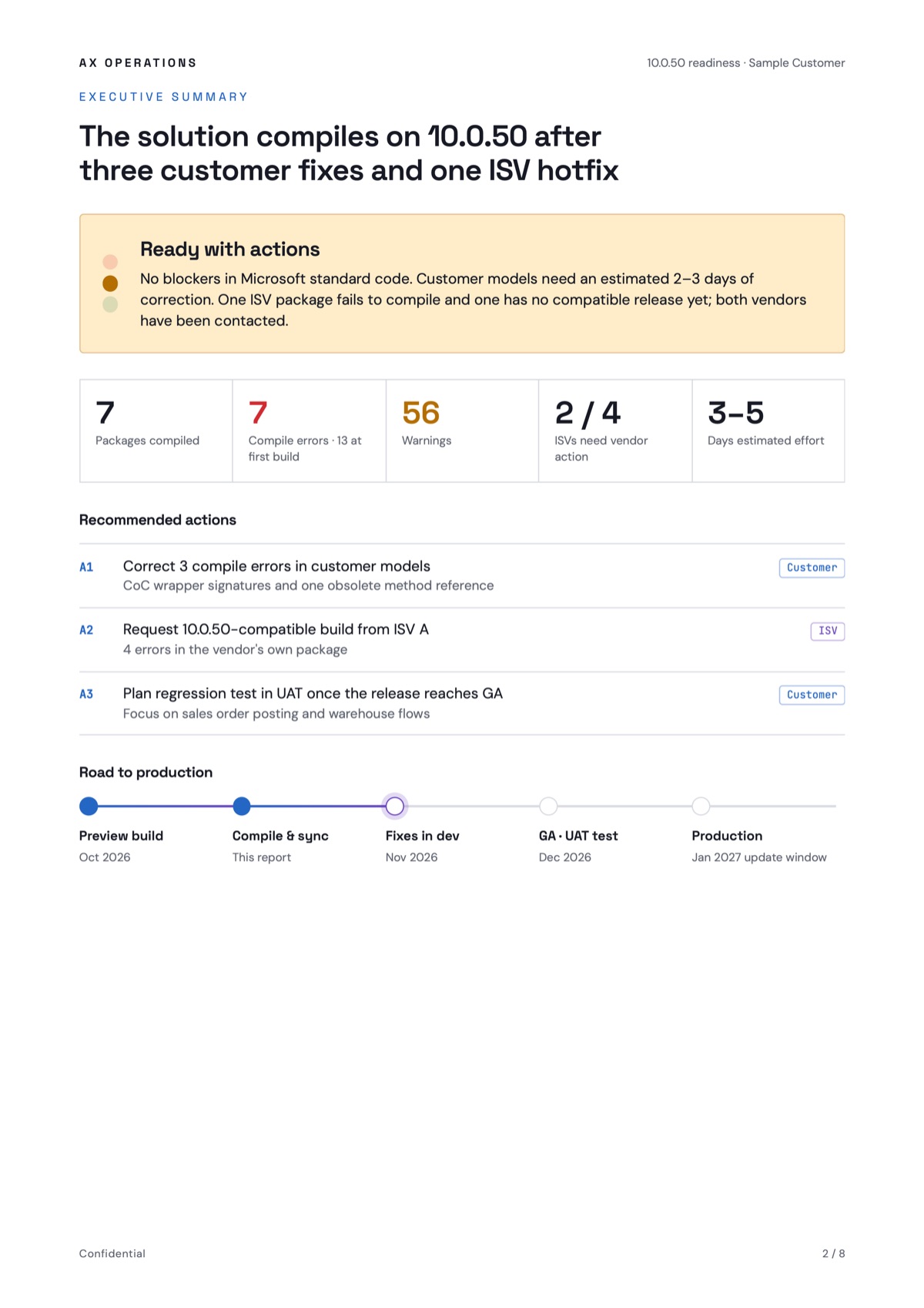
Example · illustrative figures
Compilation results
Every package, one scale
A chart shows where the errors are, and the table holds the exact counts, grouped by owner. When we re-run after fixes, the report shows how many errors the first build had and how many are resolved.
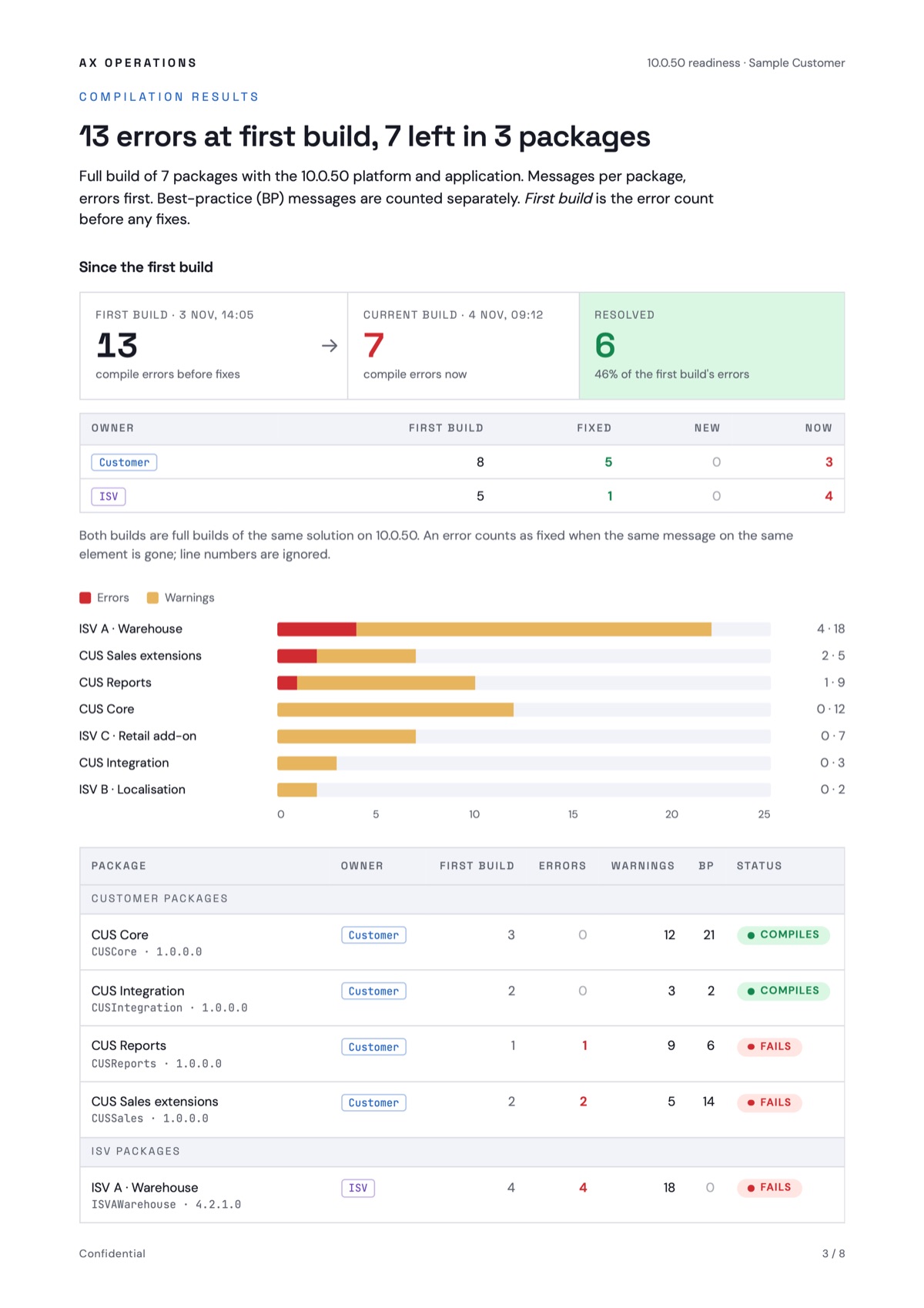
Example · illustrative figures
ISV readiness
One card per vendor
ISVs are often the slowest part of an update. Each one gets the same checklist: does it compile, has the vendor confirmed support, and what is the next step.
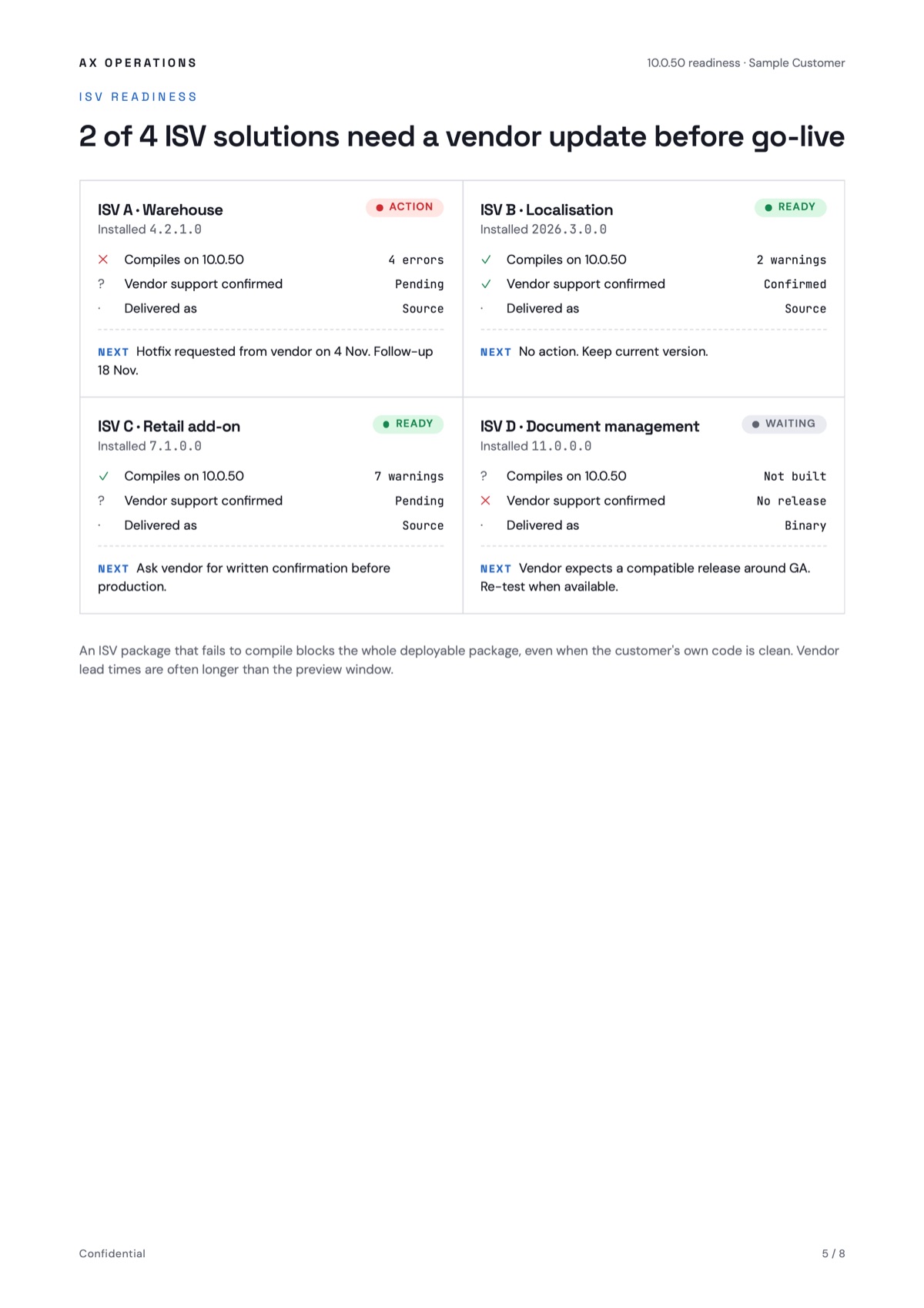
Example · illustrative figures
Issue register
The working list
Every issue gets an ID, a category, an owner and an estimate, with the compiler message verbatim — ready to go straight into Azure DevOps.
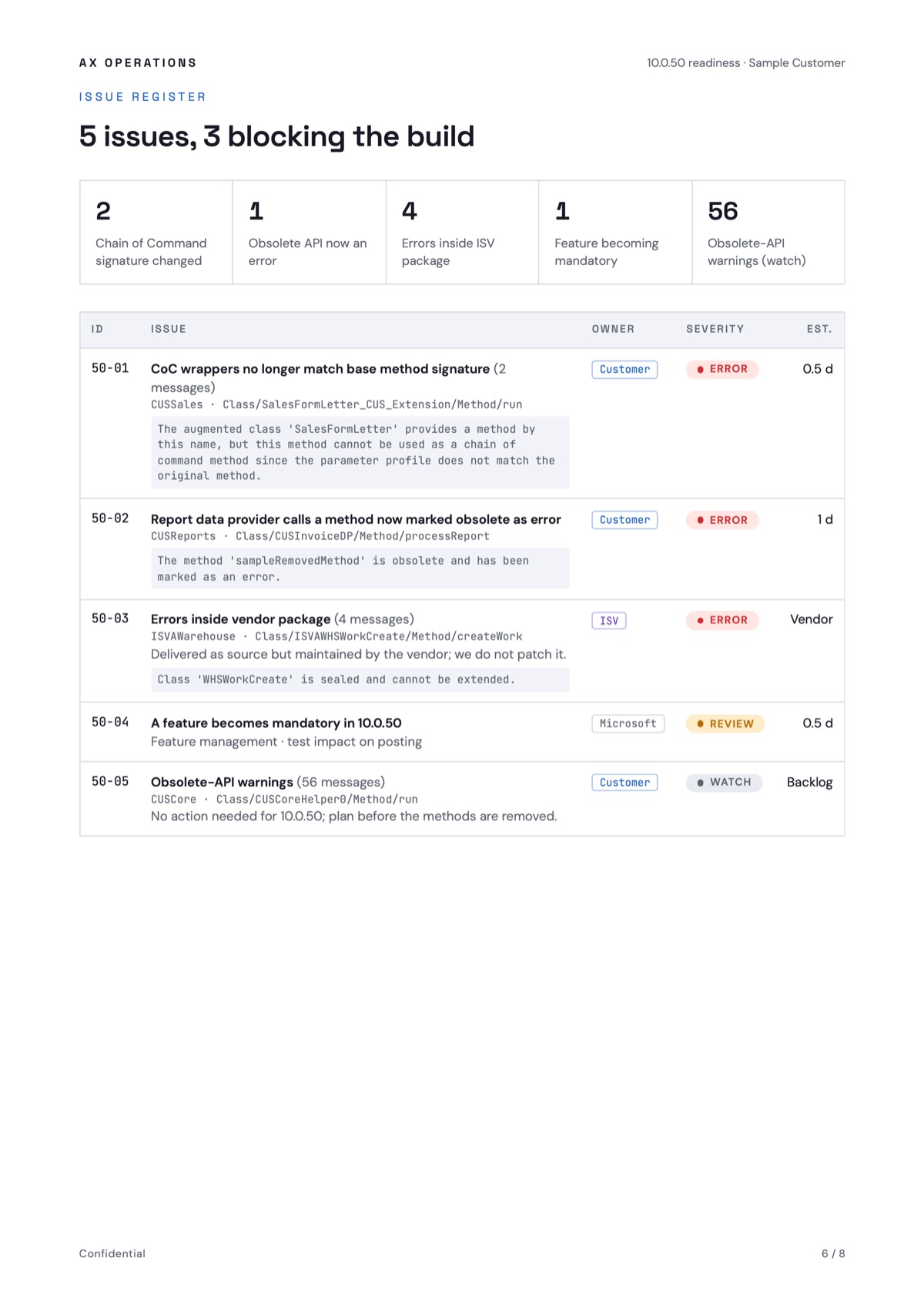
Example · illustrative figures
Method and next steps
What we checked, and what we did not
The scope shows what was tested and what was out of scope, with environment details for audit and re-runs, and the next steps with owners and dates.
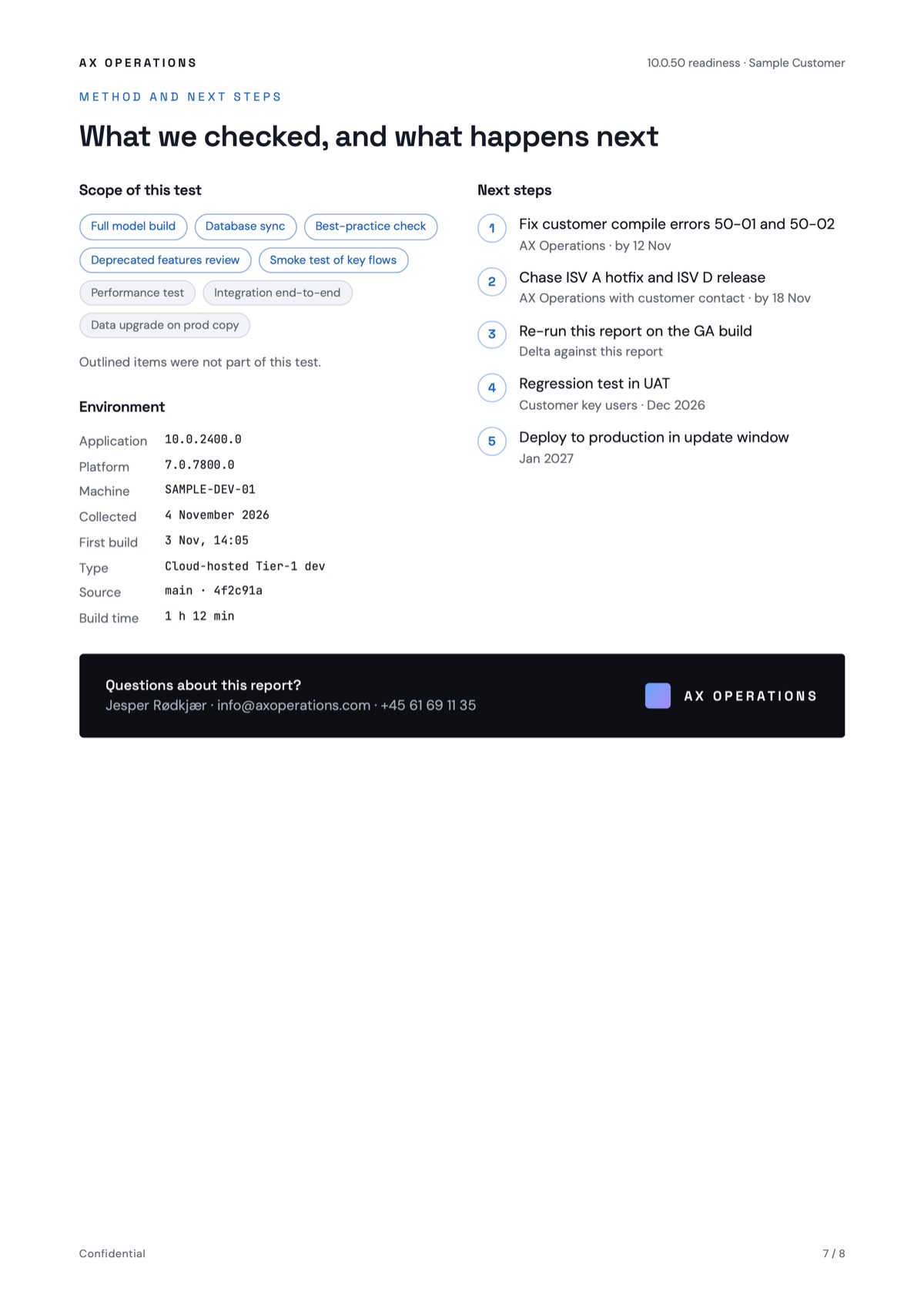
Example · illustrative figures
How it works
Build on the preview
When Microsoft releases a preview, we compile your full solution on it — on a cloud-hosted dev VM or with the unified developer experience.
Read the results locally
A small tool on the same machine reads the compiler output. Your code and build results never leave it.
Assess and group
We follow up with each ISV vendor, group the errors into issues and estimate the work.
Report and re-run
You get the PDF while there is still time to fix things. We re-run it after the fixes and on the GA release.
Is the next update on your calendar?
Tell us which release you are heading for and how many ISVs you run. We will tell you when a preview check makes sense.